
All updates
Create your own API keys
Every member can now create personal API keys for scripts and other tools. Usage counts against their own budgets.
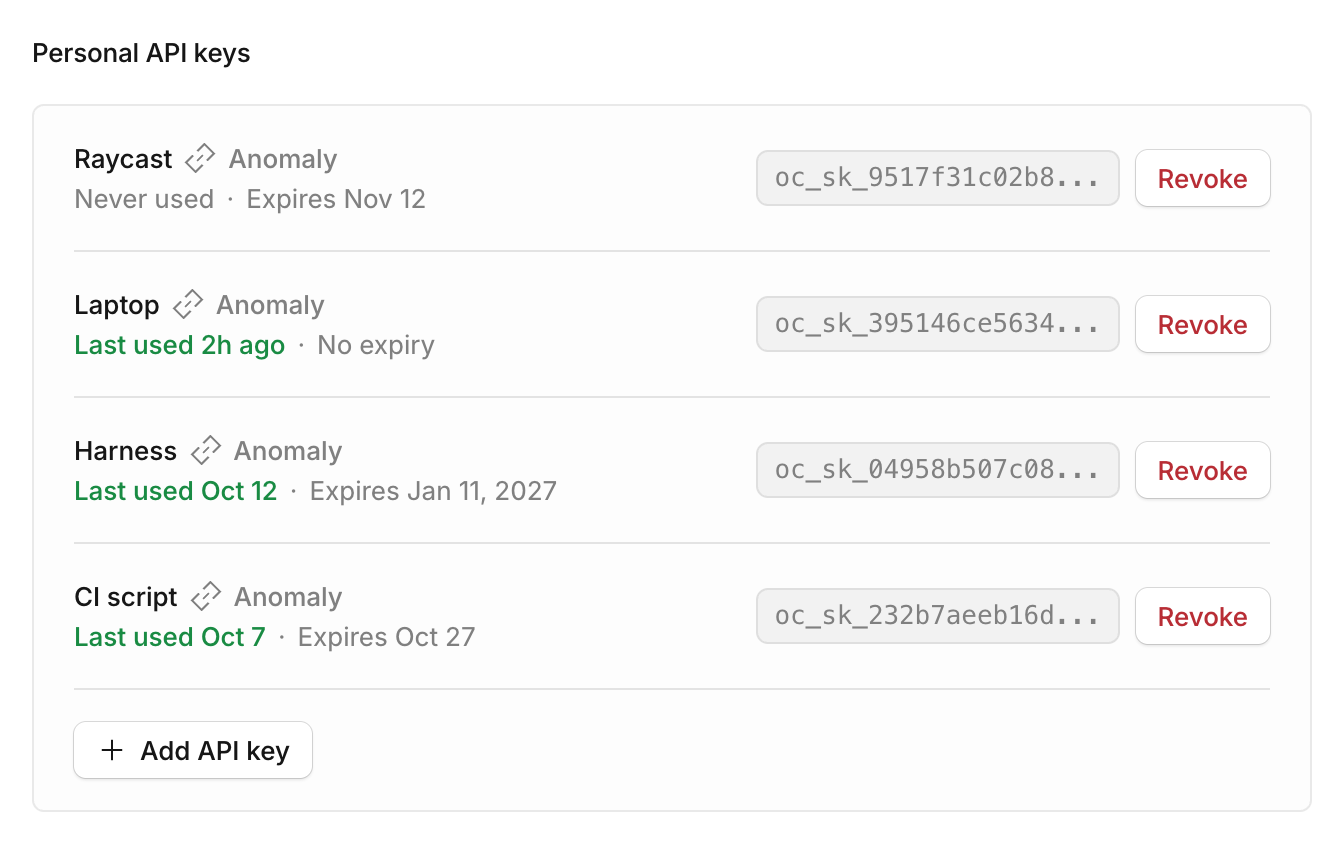
Until now, API keys belonged only to service accounts, which only owners and admins manage. Now every member can create their own.
Create a key
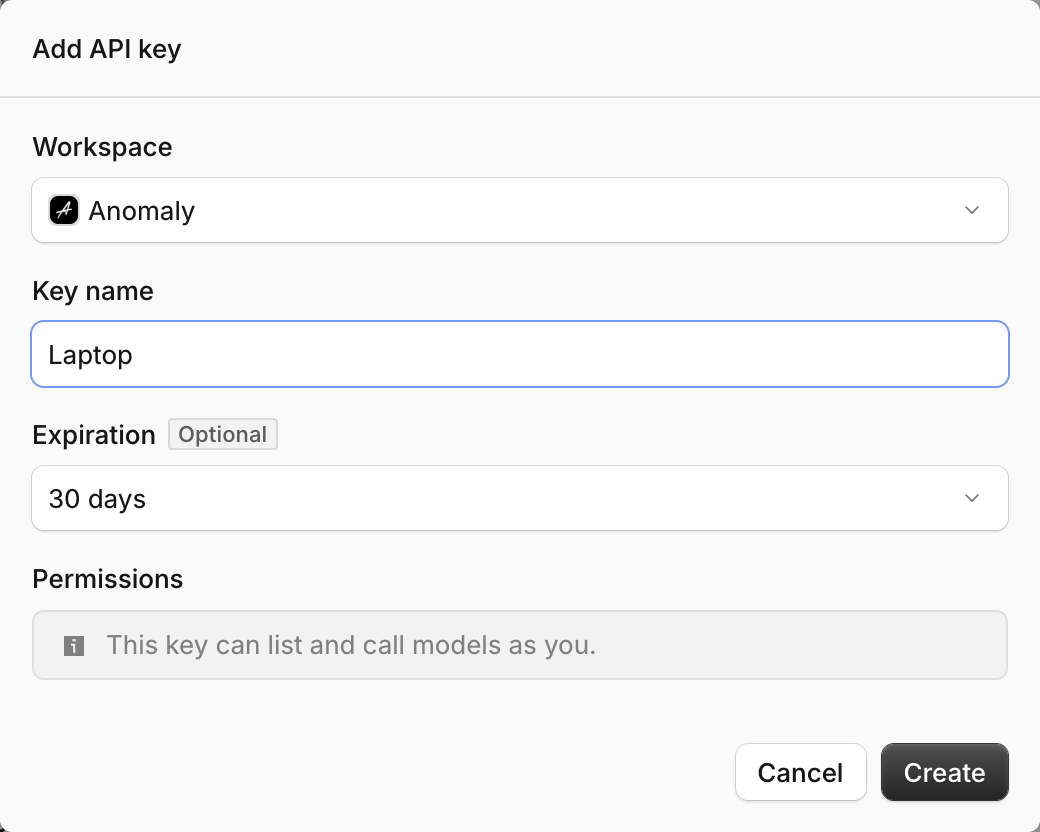
Open the account menu in the top right corner and go to Account → Personal API keys → Add API key.
How keys work
A personal key calls models as you, so your usage, budgets, and model rules apply. A member’s key can only list and call models. If you leave the workspace, your keys are revoked.
Owners and admins can see and revoke a member’s keys on their page in Settings → Members, under API Keys.